 Social media image resizer
Social Media Image Resizer
Resize images for social media and customize the background color to match your style. Choose presets for Instagram, Facebook, YouTube, LinkedIn and more.
Fast, browser-based resizing with custom background colors.
Resize your image for the platform you actually need
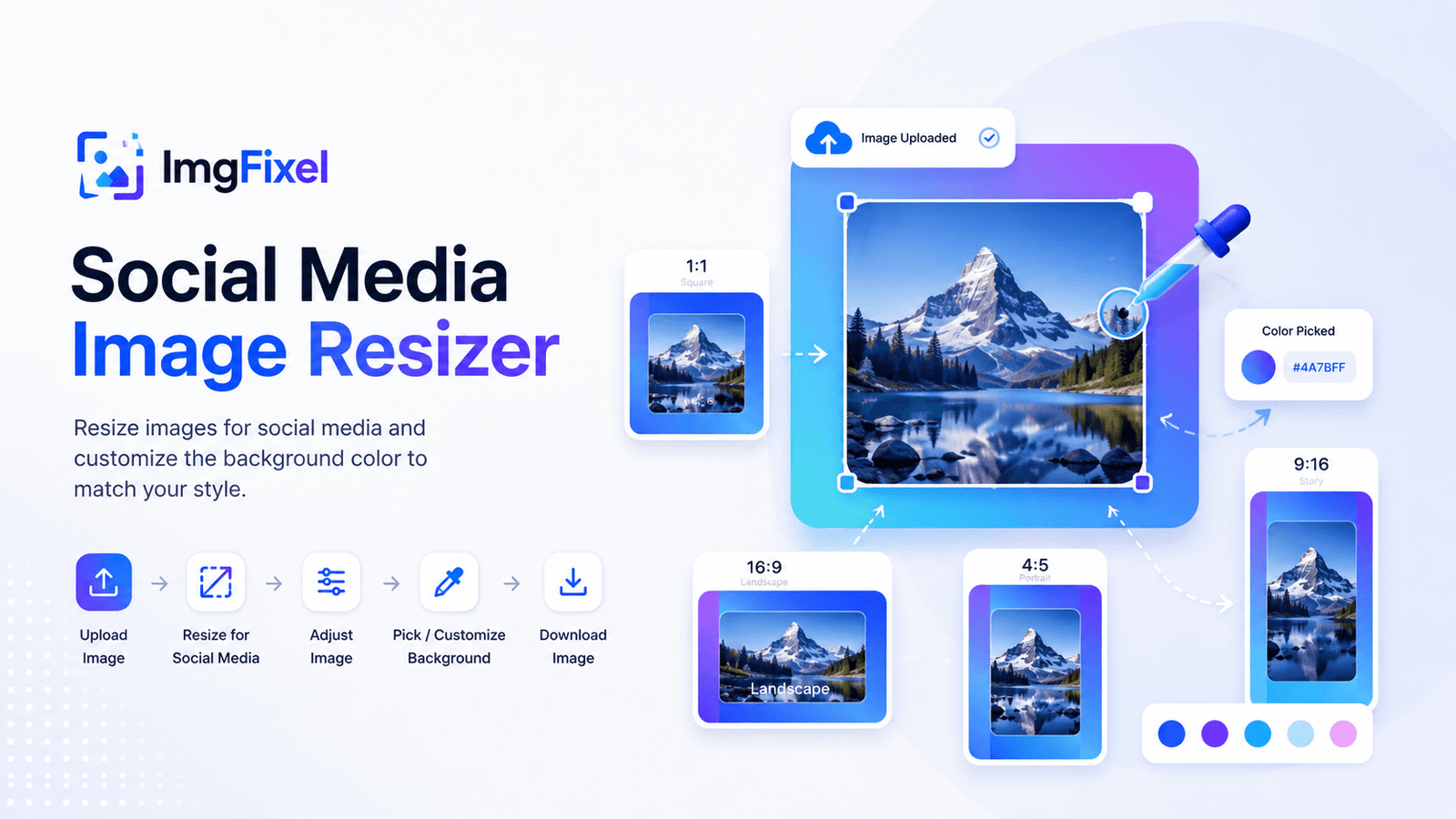
Different social platforms use different image dimensions. Instead of manually calculating sizes, choose the platform and format you need in ImgFixel. Resize your image, make adjustments and prepare it for publishing in a few simple steps.
Platform-focused sizes
Choose from social-media presets instead of searching for the right dimensions every time.
Customize the background
If your image does not completely fill the canvas, choose a background color that fits your design.
Pick a color from your image
Sample a color directly from your uploaded image and use it as the background.
How to resize an image for social media
You do not need a full design editor just to prepare an image for a social post. ImgFixel keeps the process focused on resizing and final adjustments.
Upload
Choose the image you want to prepare.
Choose a platform
Select Instagram, Facebook, YouTube, LinkedIn, X, TikTok or Pinterest.
Adjust
Fine-tune the resized image and customize the background.
Download
Download the finished image and use it on your social platform.
Prepare your image before you publish
A resized image does not always look right immediately. The selected social format may leave extra space around the original image. That is why this workflow includes adjustment and background controls.
Social platform presets
Quickly find commonly used dimensions for major social platforms.
Automatic adjustment workspace
Continue refining the image after the resize instead of starting again.
Any background color
Use a color picker or enter a HEX value to create a background that matches your design.
Color sampling
Pick a color directly from your uploaded image when you want a more natural match.
One focused workflow
Resize → Adjust → Customize → Download
Resize photos for different social media formats
Whether you are preparing a social post, Story, video thumbnail or promotional graphic, starting with the correct canvas size can save time.
Prepare square, portrait and Story-style images.
Resize images for common feed, square, cover and Story formats.
YouTube
Prepare thumbnails, banners and vertical content.
Resize posts, links, banners and professional content.
TikTok
Prepare vertical images and creative assets.
Pinterest & X
Choose the appropriate preset before publishing your content.
More ImgFixel image tools
Use the tool that matches the job you are trying to complete.
A focused browser-based image workflow
ImgFixel is designed for everyday image editing tasks without making you open a complicated full-scale design editor just to resize an image.
Social Media Image Resizer FAQ
Common questions about resizing images for social media.
A social media image resizer helps you resize an image to the dimensions commonly used by social platforms. ImgFixel lets you choose a platform and size, resize your image, adjust the result and customize the background before downloading it.
Drop your design to start
Upload a finished design, then pick the size you need. Any resolution works.
Browse filesPNG · JPG · JPEG · WEBP