Crop exactly what you need
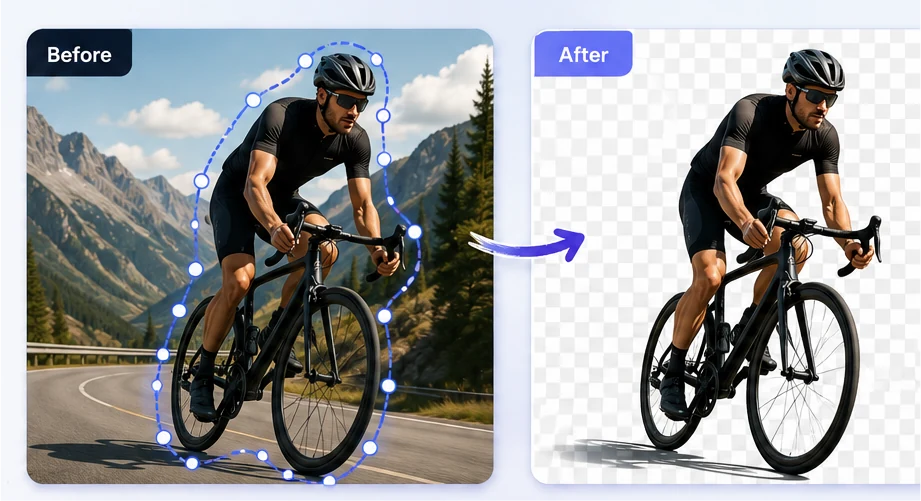
Start from a rectangle, circle or any shape in the library, or draw your own outline point by point. Move, scale and rotate the crop until it lines up.

Magic Crop gives you crop shapes, a pen tool and manual controls to frame any part of an image, then download it as a high-quality PNG at full resolution.
Drag & drop a file here, or browse from your device. Nothing ever leaves your browser.
Browse filesUpload → choose a crop shape and place it → adjust → download the result. Everything runs locally in your browser.
Start from a rectangle, circle or any shape in the library, or draw your own outline point by point. Move, scale and rotate the crop until it lines up.
Edit individual points, add anchors and step back through every change. The crop follows your judgement, not an automatic guess.
Cropping happens entirely in the browser. Client photos, unreleased products and internal assets never touch a server.
Yes. Without an account you can download 10 cropped images per calendar month, and 50 per month once you sign in. Pro is $10 per month for unlimited downloads.
Want the full walkthrough? Read the Magic Crop guide or browse every ImgFixel tool.