Shape and pen cropping
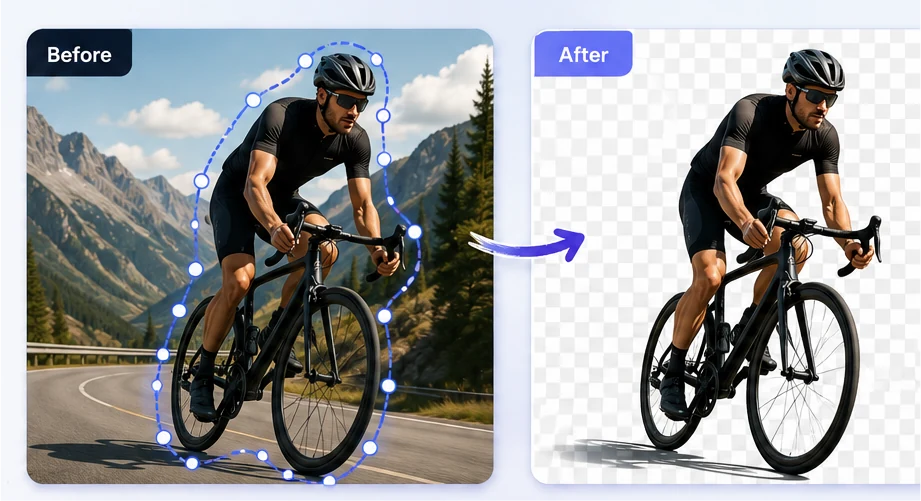
Crop with a rectangle, circle, one of 60+ shapes or your own drawn path, then move, resize and rotate it until it lines up.
The smarter way to crop and resize your images.
Magic Crop
Shape & pen cropping
Simple, powerful image editing — crop and resize your images in a few clicks.
Crop with a rectangle, circle, one of 60+ shapes or your own drawn path, then move, resize and rotate it until it lines up.
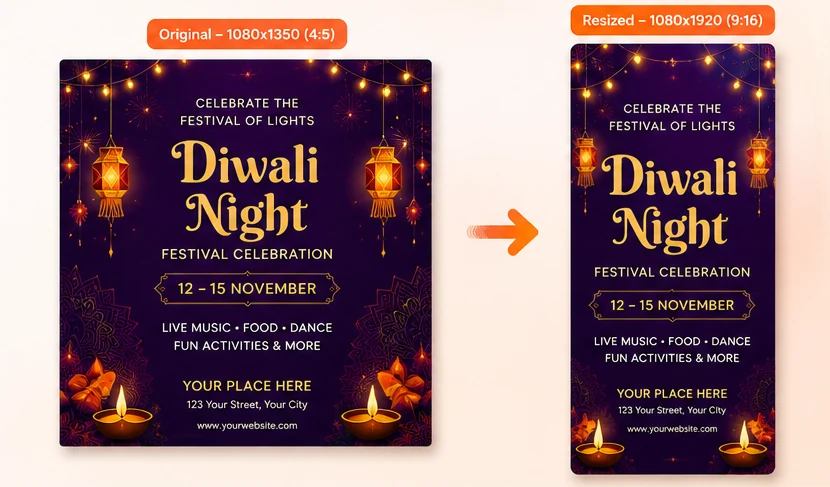
Smart Resizer turns one design into social, web and print sizes, or any custom width and height in px, in, cm or mm.
Results are generated from your original upload at the exact dimensions you choose, so nothing is softened or stretched.
Both tools process images locally on your device. Your files are never uploaded to a server.
Two focused image tools — crop images precisely and resize designs for every platform size.
 Live
LiveCrop any part of an image with shapes, a pen tool or manual controls.
 Live
LiveResize one design into every platform size, without cropping it.
Everyone can create. Explore ImgFixel smart tools and bring your imagination to life.
Crop product shots to a consistent frame, then resize the same image for listings, ads and stories.
Turn one finished design into every feed, story and banner size in a couple of minutes.
Fix and reformat a client asset during the call instead of promising it tomorrow.
Crop and resize your own photos for posts, flyers and menus without a design suite.
Upload your image, crop or resize it, adjust if you want, and download the result.
Drop a JPG, PNG or WebP into Magic Crop or Smart Resizer. It stays on your device.
Pick a crop shape and place it, or choose a platform preset or your own custom dimensions.
Fine-tune the crop, or move, scale and reframe the resized result until it looks right.
Save the finished image at full quality. Signed in, your latest download is kept for you.
Start free with 50 downloads per tool each month, then upgrade to Pro for unlimited cropping and resizing.
Everything you need for everyday cropping and resizing.
$0forever
For creators who crop and resize every day.
$10per month
Full plan comparison on the pricing page.
Step-by-step guides on cropping, resizing, aspect ratios and the image sizes every platform expects.
Tutorial · 7 min read
Pick the right crop shape, place it precisely and download at full resolution — including free-hand cropping with the pen tool and exact aspect ratios.
Workflow · 7 min read
Instagram, Facebook, LinkedIn, Pinterest, YouTube and print sizes in one reference — with the workflow that stops you rebuilding the same artwork six times.
ImgFixel has two browser tools: Magic Crop, for cropping any part of an image with shapes, a pen tool or manual controls, and Smart Resizer, for resizing one design into any platform or custom size.
Still unsure? Send us a message.
Drop in an image, crop exactly the part you need, then resize it for every platform size. Free, private and no account required to start.